Help · Safari on iPhone
Auto-activate, Sync offers and Activate all
Updated October 9, 2026
The RightCard popup on your bank's offers page has two buttons and a switch. Here's what each one does.
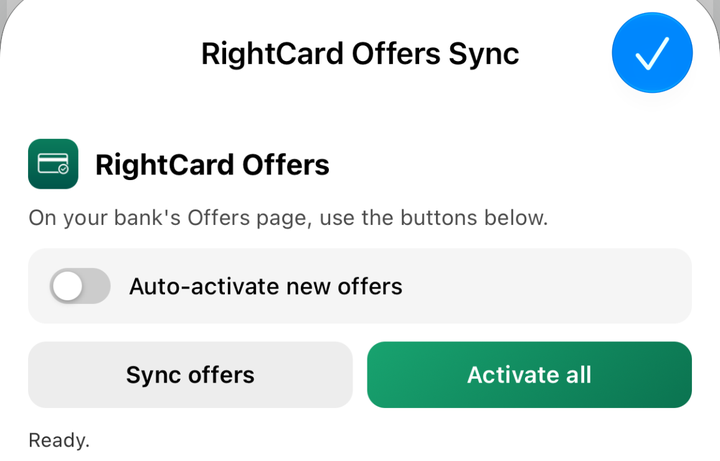
Sync offers
Reads every offer on the page into RightCard. It doesn't add anything to your card. Use it when you only want RightCard to know what you have.
Activate all
Adds every offer you haven't added yet. Keep the screen on until it says Done. If your phone locks or you switch apps it pauses, and tapping Activate all again picks up where it stopped. Offers you added before are skipped.
Auto-activate new offers
A switch, off until you turn it on. When it's on, opening your bank's offers page adds any new offers by itself, without opening the popup.
When RightCard runs on its own
- On Amex, Chase, Citi and Wells Fargo, opening the offers page reads it automatically, so RightCard stays current without a tap.
- Once it has read a page, it leaves that page alone for 12 hours, so browsing your bank doesn't keep scrolling. Two exceptions: if there are offers it hasn't added and Auto-activate is on, it adds them; and the popup buttons always run right away.
- It never runs on any other website.
Still stuck?
Email support@rightcard.ai and say which bank and what you see on screen. A screenshot helps. A person reads every one.